- Go to your Dashboard page.
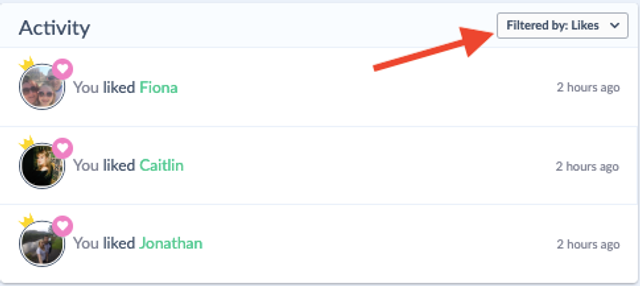
- In the 'Activity' section, click the drop-down Filter bar and click 'Likes'. You will now be able to see all the members who you have liked and who liked your profile.
- Click on borrower's/owner's icon or name to be taken to their profile.
What happens next?
- All members, whether Basic or Premium, can like each other’s profiles.
- As a Basic member, liking profiles is a great way to begin browsing and expressing interest in while you explore the platform.
- You’ll be able to see all the profiles you’ve liked in your dashboard, making it easy to revisit and send a message to any member you were interested in.
- To message and arrange a meet-up, you’ll need to be a Premium member. You can learn more about what’s included with Premium and how to upgrade here.
Liking is just the first step in building a long-lasting, local connection and it’s a great way to get started!