
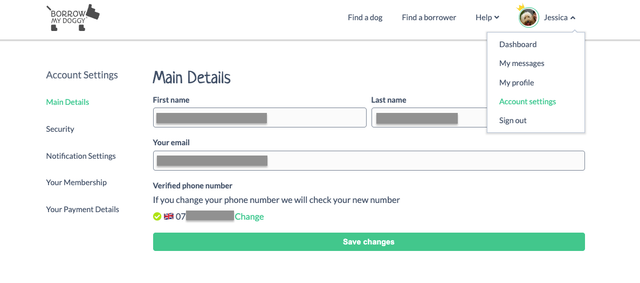
You can edit your account via Account Settings.
- Click on the down arrow next to your name in the top right hand corner
- Select Account Settings from the drop down menu
Using the Apple App:
- Select the menu button (three horizontal lines)
- Edit Account
Using the Android App:
- Select the Account tab at the bottom right on the app
- Select which section to edit
Remember to save changes every time you edit your account settings.